
This guide is for users who have already created an account at the FTSRC.
- Access your account by logging into https://fdotsafetycenter.com/

- After logging in, click Order Reporting on the left side of the dashboard to submit reports.
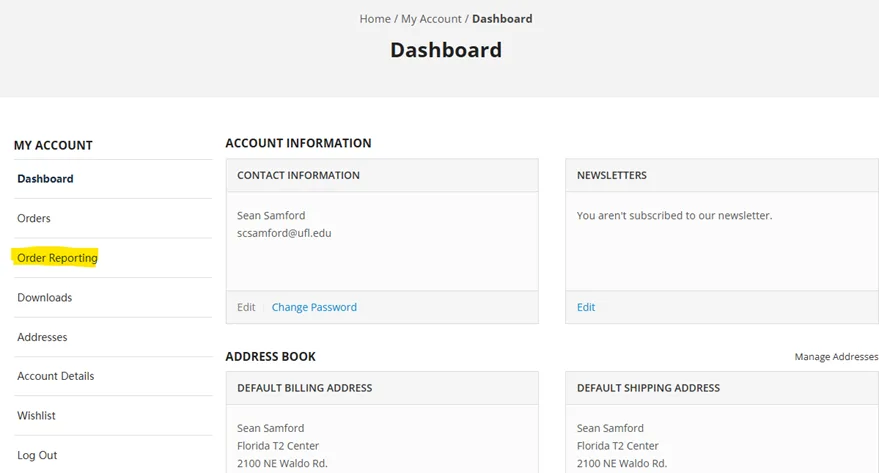
- On the Order Reporting page, you will find a list of all the items that require reporting, as well as any reports you have submitted that are still pending review and approval by FTSRC staff.
- Reporting is required for all tangible items distributed. Tangible items include car seats, bicycle helmets, armbands, wristbands, and bicycle lights (available only to law enforcement in focus counties).
- A separate report is required for each tangible item type included on your order. We strongly recommend maintaining separate signature sheets for each tangible item type on your order.
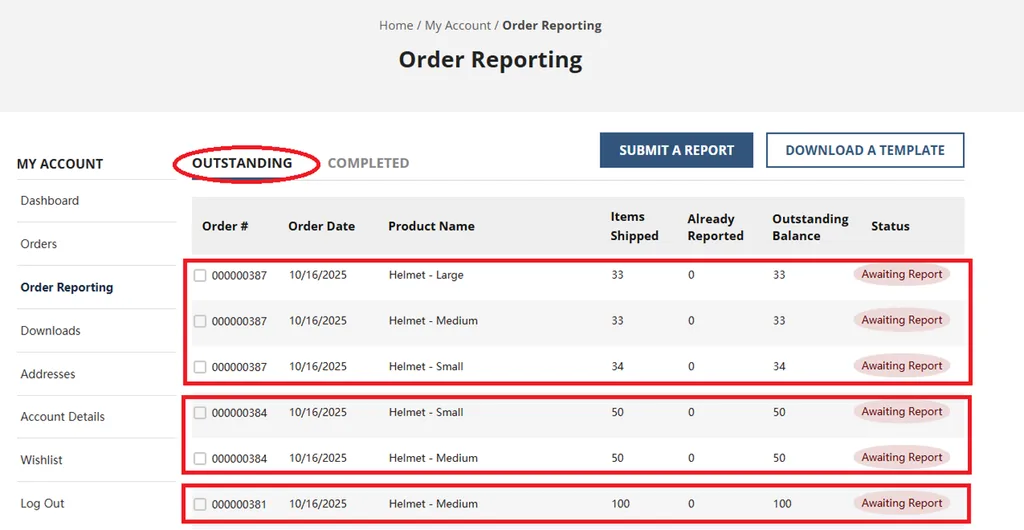
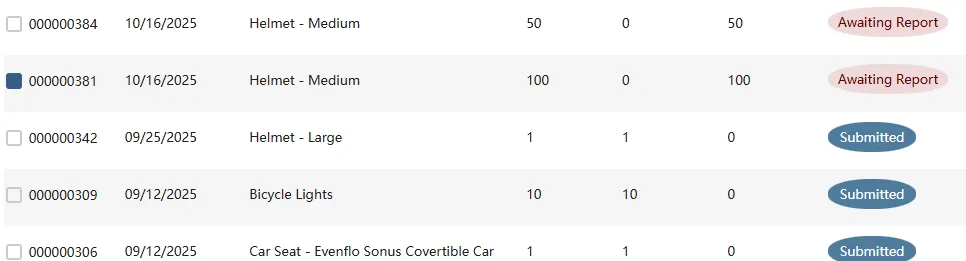
- To report on your tangible items, select the box beside the order #.
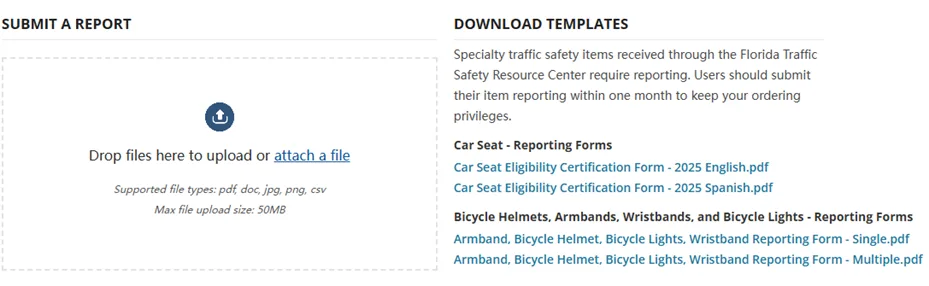
- Toward the bottom of the screen, either drag and drop your reporting document into the upload area OR attach a file and locate the document file on your device.
- You will be asked to enter the number of reportable items included in your attachment. Click Proceed to submit your document. You can only report up to the number of outstanding reports on that item line.
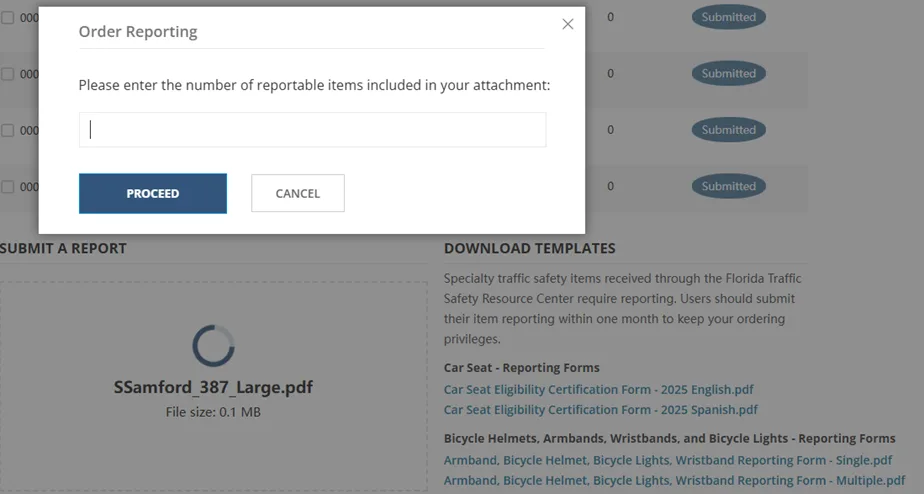
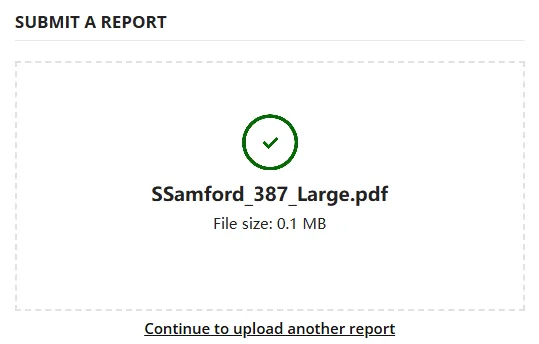
- When you enter the number and select proceed, your report is submitted. The file upload will get a check mark, and the report line will show submitted.

- FTSRC staff will review your submitted report(s). Once the review is complete, you will receive an email indicating whether your report(s) has been approved or not approved.
- If your report is not approved, the email will include comments explaining the reason(s) for the decision and any corrective actions that may be needed.
- If you are reporting a partial distribution, the reporting process remains the same. Once the report is approved, the quantity reported will be deducted from your outstanding balance. You will continue to submit additional reports as items are distributed until the full quantity received has been reported.


Example: After your report for 90 of 100 helmets is accepted 10 additional reports are needed. 10 helmets may not be enough for a new event so your next helmet order will be fulfilled barring any other problems with your reporting to date.
Some General Rules and Guidelines
- Reportable items are expected to be distributed within 30 to 90 days of receipt. To support this requirement, we encourage ordering smaller quantities more frequently.
- Each helmet must be fitted to the recipient while that recipient is instructed on the proper fit of their helmet and how to make future adjustments.
- A separate signature is required for each helmet distributed. If a parent is signing for multiple children, enter each child’s first name in the “Printed Name” field and have the parent sign in the “Signature” field for each child.
- Use a separate signature sheet to report each helmet order.
- For each car seat reported, submit a signed Car Seat Eligibility Form and include the corresponding National Digital Car Seat Check Form (NDCF) ID number on the form.
- Ensure all required documentation is complete, accurate, and submitted with your report to avoid processing delays.